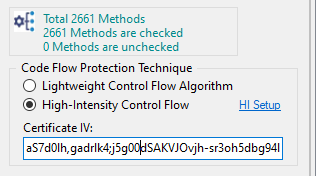
High-Intensity Control Flow Protection is available exclusively with the Enterprise Version license and can be applied to up to three methods per assembly.
To enable this feature, explicitly select the three methods you wish to protect via high-intensity virtualization.
If more than three methods are selected - Obfuscator will automatically choose three methods for high-intensity control flow obfuscation based on internal heuristics.
Before applying the High-Intensity Control Flow protection method, ensure that the following requirements are met:
Internet Connectivity – Assemblies protected with the High-Intensity algorithm must run in environments with an active internet connection.
Execution Frequency – The protected method should not be executed frequently. Review your application’s workflow to avoid performance issues. Ideally, select a method that runs only once during the application startup. Note that the cloud service executing the virtualized code has time-based access limitations.
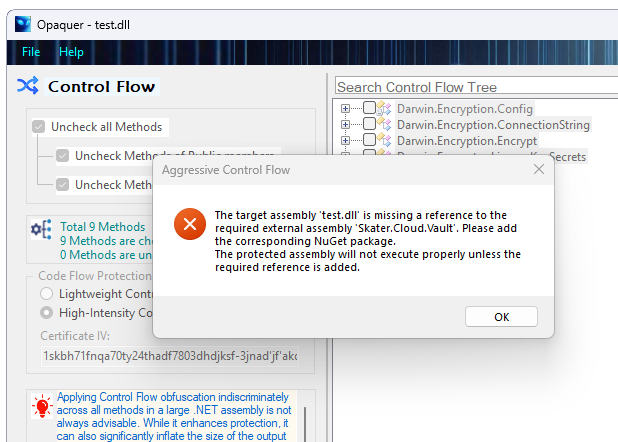
Dependency on Skater.Cloud.Vault – Your protected assembly must reference the Skater.Cloud.Vault library. Add it to your project as a dependency using NuGet Package Manager: https://www.nuget.org/packages/Opaquer
Integration of High-Intensity Protection – Within the constructor of your application's
main class, you must explicitly instantiate the following object:
var highIntensityProtection = new CloudVault.HighIntensityProtection();
This line of code serves as a mandatory marker required by
Opaquer Obfuscator. Its purpose is to confirm that your assembly correctly
references the Skater.Cloud.Vault NuGet package. Without this marker,
the obfuscation process cannot validate the presence of the package, and certain
advanced protection features may not be applied to your build.
Why this step is important
- Ensures the obfuscator recognizes your project’s dependency on Skater.Cloud.Vault.
- Enables the HighIntensityProtection mechanism, strengthening your assembly against reverse engineering attempts.
- Complies with package integration requirements, preventing build-time or obfuscation-time errors.
Note: The highIntensityProtection variable does not need to be
used elsewhere in your code. Its primary role is to act as a verification token for the
obfuscator. Keeping it within the constructor guarantees that it is always initialized
when your application starts, making the reference unambiguous and reliable.
Certificate IV (Initialization Vector) - To activate this scenario, enter the application's Certificate IV (Initialization Vector) into the "Certificate IV" field located under the High-Intensity Algorithm radio button in the .NET Obfuscator interface.
You can retrieve the Certificate by logging into your Keys Depot account online. For step-by-step instructions, refer to the Obfuscator license installation guide provided upon registration.
Note: The Certificate IV is unique and dynamic - it may be updated frequently before each obfuscation to prevent hacker's efforts.