Which .NET Obfuscator Supports .NET 11?
Opaquer was redeveloped for .NET 11 and tested extensively with several types of net11.0 apps. Here is what it protects and how to use it.
By the Rustemsoft Technical Team • Updated November 11, 2026
Direct Answer
Yes. Opaquer .NET Obfuscator supports .NET 11. It was redeveloped for .NET 11, which Microsoft released on November 10, 2026, and tested extensively with several types of .NET 11 applications. Opaquer protects net11.0 assemblies at the IL and metadata level with name obfuscation, string encryption, and control flow obfuscation, and it continues to support .NET Framework, .NET Core, and earlier .NET versions. The Basic edition is free, so you can protect a .NET 11 build today and compare the results yourself.
Protecting .NET 11 applications from day one
.NET 11 reached general availability on November 10, 2026, announced at .NET Conf. It is a Standard Term Support (STS) release with two years of support, so teams are now deciding whether to move production apps from .NET 10 (LTS). C# 15 is the default language version for net11.0 projects, and the runtime adds runtime-native async, which Microsoft says produces cleaner stack traces and lower overhead.
None of this changes the core reality that shipped .NET assemblies are readable. Without protection, an assembly can be decompiled to readable C# or VB.NET within seconds. Because an obfuscator rewrites compiled output, it has to be built for the runtime it protects. Opaquer was redeveloped for .NET 11 and tested extensively with several types of .NET 11 apps, so you can protect net11.0 builds from the start.
What obfuscation does to your IL
This is the “Hello World” example from the Opaquer manual: a console app with two private fields, inspected with ILDasm before and after name obfuscation.
.class private auto ansi sealed beforefieldinit Module1
{
  .field private static string str
  .field private static valuetype [mscorlib]System.DateTime today

  .method public static void Main() cil managed
  {
    .entrypoint
    IL_0001: ldsfld string ConsoleApplication1.Module1::str
    IL_0006: ldsfld valuetype [mscorlib]System.DateTime
             ConsoleApplication1.Module1::today
    IL_0015: call void [mscorlib]System.Console::WriteLine(string)
    IL_001c: ret
  }
}.class private auto ansi sealed beforefieldinit '0AAAA'
{
.field private static string '1AAA0'
.field private static valuetype [mscorlib]System.DateTime '2AAAA'
.method public static void '1AAAA'() cil managed
{
.entrypoint
IL_0001: ldsfld string ConsoleApplication1.'0AAAA'::'1AAA0'
IL_0006: ldsfld valuetype [mscorlib]System.DateTime
ConsoleApplication1.'0AAAA'::'2AAAA'
IL_001c: ret
}
}Choosing the Non-Displayable characters naming rule goes further: identifiers use characters that are invalid in IL, so the output cannot be recompiled with ILAsm.
Table 1: What a .NET 11 team needs vs. what Opaquer provides
| Requirement | Opaquer feature (per documentation) | Edition |
|---|---|---|
| .NET 11 (net11.0) support | Redeveloped for .NET 11 and tested with several types of .NET 11 apps; also .NET Framework 1.0–4.8, .NET Core and .NET 5–10 | All |
| Hide class, method, field, property names | Private, public and internal name obfuscation; optional non-recompilable naming | All |
| Keep hardcoded secrets out of static analysis | String encryption, in-assembly or in a separate native DLL | All |
| Make decompiled logic unreadable | Lightweight Control Flow (opaque predicates, fake branches, non-linear paths) | All |
| Protect licensing or algorithm kernels | High-Intensity Control Flow with selective code virtualization (up to 3 methods per assembly, internet required at runtime) | Enterprise |
| Protect a WPF user interface | BAML/XAML protection for C# apps on .NET 6 or later | See docs |
| Automated, repeatable release builds | Command-line interface, XML settings file per project, Visual Studio and Azure DevOps integration | Pro and above |
| Decode obfuscated crash reports | XML renaming map | All |
Feature details follow the Opaquer manual and the published plan comparison; .NET 11 support comes from Rustemsoft’s own testing. Confirm current details on the pricing section.
Table 2: Threats to a .NET 11 app vs. protection technique
| Threat | Why it still applies on .NET 11 | Protection technique |
|---|---|---|
| Decompiling to readable C# | C# 15 compiles to IL with full metadata, just like earlier versions | Identifier renaming (private, public, internal) |
| Searching for strings such as license text, URLs, keys | String literals are stored in plain form in the assembly | String encryption; native DLL storage for sensitive values |
| Following program logic in a decompiler | Method bodies stay structured and linear without protection | Control flow obfuscation |
| Patching a license check | A single method often gates activation | High-Intensity Control Flow plus selective code virtualization (Enterprise) |
| Extracting WPF UI structure | XAML compiles to BAML, which tools can convert back to XAML | BAML/XAML obfuscation (.NET 6+, C#) |
| Rebuilding a modified copy | Readable IL can be reassembled | Non-displayable naming mode; anti-tampering |
| Behavior changes after obfuscation | .NET 11 adds new runtime features such as runtime-native async | Opaquer tested against several types of .NET 11 apps; still run your own suite on the protected build |
Obfuscation raises the cost of reverse engineering; it does not replace server-side enforcement or sound key management.
Inside Opaquer
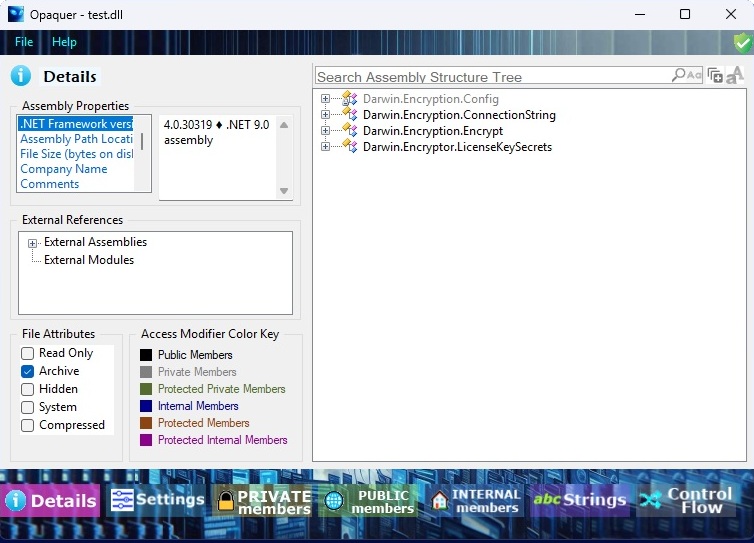
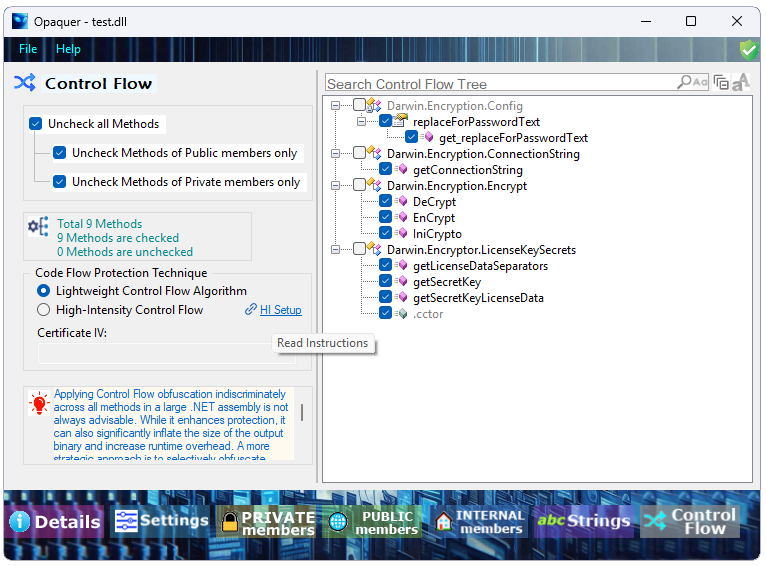
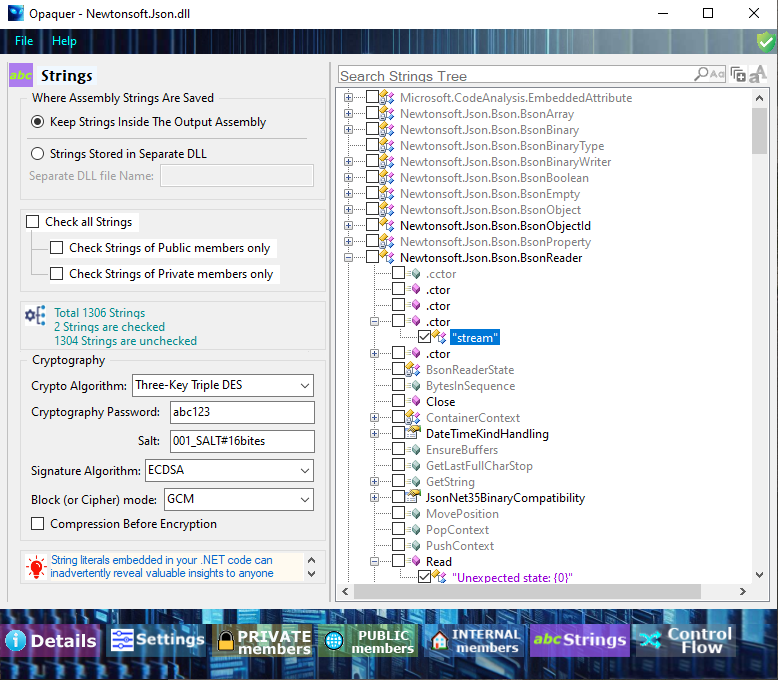
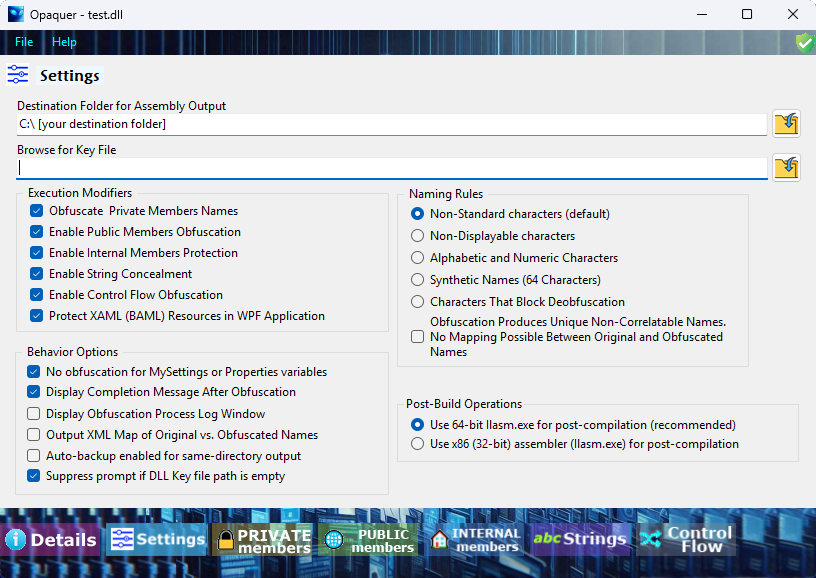
Screenshots from the official manual. Configure once in the GUI, then save the settings for repeat runs.
Protect a net11.0 app in six steps
- 1. Build Release. Compile your net11.0 project in Release configuration.
- 2. Open and configure. Open the assembly in Opaquer, set naming rules, strings and control flow, and exclude members that external code references by name.
- 3. Start light. Use Lightweight Control Flow on a small set of sensitive methods first, as the manual recommends, then expand.
- 4. Obfuscate and inspect. Run the obfuscation, then open the output in ILSpy or dotPeek to confirm names and logic are scrambled.
- 5. Test the protected output. Run unit and integration tests, and exercise reflection, serialization, interop and async-heavy code paths on the obfuscated build.
- 6. Automate. Save settings to an XML file, then call the CLI from a post-build event or pipeline step. Keep an unobfuscated build for rollback.
Protect your .NET 11 build with Opaquer
Start with the free Basic edition and check results on your own assemblies.
Frequently asked questions
Does Opaquer support .NET 11?+
Which .NET versions does Opaquer support?+
Is there a free edition of Opaquer?+
Can Opaquer protect a WPF application targeting net11.0?+
How do I add Opaquer to a .NET 11 build pipeline?+
-SOURCE, -OUTPUT, -KEY, -ALLPRIVATE, -CONCEALSTRINGS and -FLOW. Opaquer must be installed on a self-hosted agent, and parallel project builds should be limited to one in Visual Studio to avoid file locks.